In short
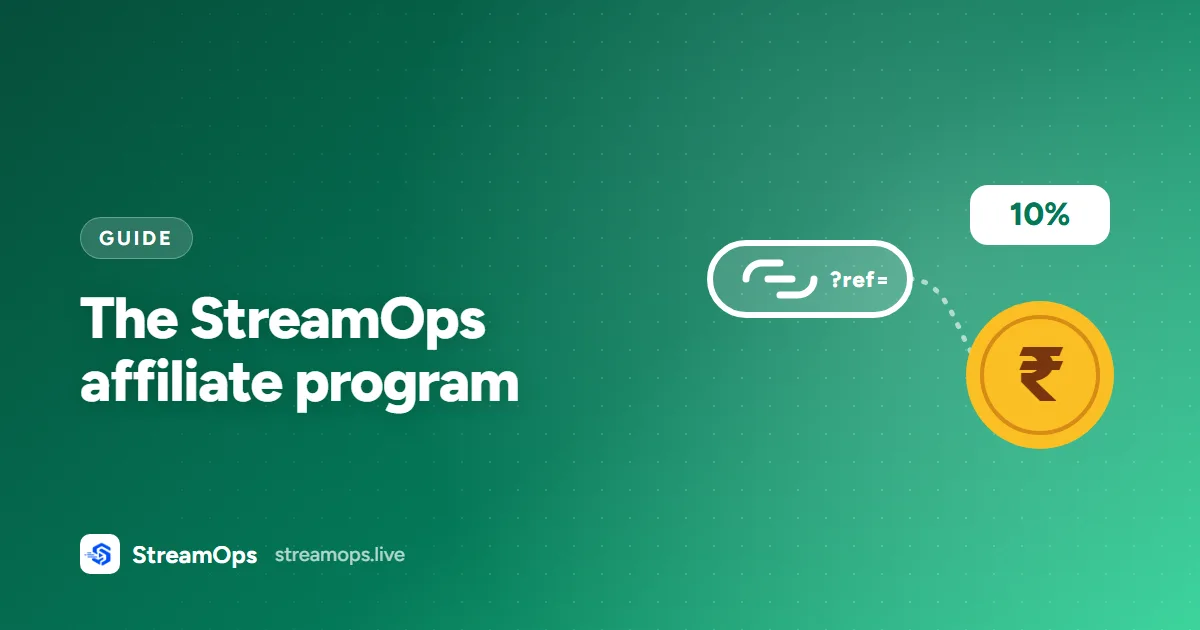
- Earn 10% of every payment a referred customer makes in their first 12 months — monthly, yearly or pass.
- After 10 paying customers you become Premium and earn 15% on plans. Cloud passes (24-hour and 7-day) earn 5%.
- Your link is remembered for 30 days. Only new accounts count, and a referred account stays yours.
- Commission is payable 30 days after each payment and paid monthly: by UPI or bank transfer in India from ₹500, by PayPal anywhere else from ₹2,000.
- Open worldwide and free to join from any StreamOps account, including a free one. Every application is reviewed by hand.
What the StreamOps Affiliate Program Is
Most StreamOps customers find it the same way: someone they trust showed them how they run a channel that never goes offline. A tutorial on looping a playlist to YouTube, a lofi channel's "how I stream 24/7" video, a consultant who set up a temple's live darshan. The affiliate program pays those people for the customers they bring.
This guide covers the whole program in plain terms — who it suits, how to apply, exactly how a referral is counted, what each plan pays you, how the 30-day check works, and how and when you are paid. The binding version is the Affiliate Program Terms; this post explains them, and says the same thing.
The Program at a Glance
| What it means | |
|---|---|
| Commission on plans | 10% (Starter), 15% once you are Premium |
| Commission on Cloud passes | 5% |
| How long a customer earns you commission | 12 months from their first payment |
| How long your link is remembered | 30 days |
| Premium after | 10 different paying customers |
| When commission is payable | 30 days after the customer's payment |
| Payout in India | Monthly, by UPI or bank transfer, from ₹500 |
| Payout everywhere else | Monthly, by PayPal, from ₹2,000 |
| Currency | Indian rupees (PayPal converts to yours) |
| Who can join | Anyone 18 or older, in India or any country PayPal can pay you in |
| Cost to join | Free |
Who It Is For
The program works best for people whose audience already wants what StreamOps does: keep a stream running for days or weeks from a playlist of videos, on StreamOps Cloud with the PC switched off.
- Streaming and OBS tutorial channels. Your viewers ask how to stream 24/7, how to loop a video live, or how to stream without leaving a PC on. StreamOps is a direct answer.
- Music, lofi, ambient and nature-sound channels. If you run a 24/7 stream yourself, your "how I run my stream" video is the most convincing demo there is.
- Devotional and religious channels. Bhajan, temple darshan and church channels with continuous broadcasts, and the people who set them up.
- Streaming consultants and agencies. If you set up streams for clients, refer them to sign up themselves. Partners can agree a different rate with us in writing.
- Bloggers and educators. Written guides on YouTube growth, live streaming or creator tools.
You do not need a large audience. A small channel whose viewers are exactly the people looking for 24/7 streaming refers more paying customers than a big general one.
And you do not need to be in India. The program is open worldwide: affiliates outside India are paid by PayPal, so you can join from any country where your PayPal account can receive payments. Your audience can be anywhere too.
How to Join
Create a free partner account at app.streamops.live/partners/signup, or sign in there with the StreamOps account you already have. You do not need a paid plan, and you do not need to run any streams.
Signing in takes you to the partner portal. Its Overview shows the rates, how payment works and the application form. Customers can also open it from Affiliate program in the app menu.
Give your channel or website, a few lines on who your audience is and how you plan to share StreamOps, and — if you like — the referral code you would like (4–20 letters and numbers). Leave the code empty and one is created for you.
Applying means accepting the Affiliate Program Terms. Read them first: they are short, and they are what both sides are held to.
Every application is reviewed by hand. Once approved, your code and link are ready to copy from the same page, and they start counting from that moment.
In the Payouts card: a UPI ID or Indian bank account (account holder, number and IFSC) if you live in India, or your PayPal email address anywhere else. Do this before your first payout is due.
What makes an application easy to approve
How Referrals Are Counted
Once approved you get a referral code and a link: streamops.live/?ref=YOURCODE. Here is exactly what happens when someone uses it.
- Any page works. Add
?ref=YOURCODEto any streamops.live address — the home page, pricing, or a specific blog guide — and the visit is recorded. - It is remembered for 30 days. If the person creates a StreamOps account within 30 days of the visit, the account is referred by you. They do not have to sign up straight away.
- Codes work too. On the signup page, "Have a referral code?" lets people type your code. A typed code counts even without a visit through your link — useful for podcasts, live streams and anywhere a link is awkward.
- Last link wins; a typed code beats any link. If someone opens two affiliates' links, the most recent one counts. If they type a code at signup, that code counts over any link.
- Email and Google sign-ups both count.
- Only new accounts. An account that already exists is never credited to an affiliate.
- A referral stays yours. Once an account is referred by you it cannot be moved to another affiliate.
Link straight to the answer
streamops.live/blog/stream-24-7-youtube-without-pc?ref=YOURCODE. Your viewer lands on the page that answers their question, and the referral is tracked all the same.What You Earn per Payment
Commission is a percentage of what the customer actually pays, less anything refunded, rounded down to the paisa. At today's prices:
| Customer pays for | Price | You earn (10%) | As Premium (15%) |
|---|---|---|---|
| 1 stream, monthly | ₹1,499 | ₹149.90 | ₹224.85 |
| 3 streams, monthly | ₹4,497 | ₹449.70 | ₹674.55 |
| 5 streams, monthly | ₹7,495 | ₹749.50 | ₹1,124.25 |
| 10 streams, monthly | ₹14,990 | ₹1,499.00 | ₹2,248.50 |
| 1 stream, yearly | ₹14,990 | ₹1,499.00 | ₹2,248.50 |
| 1 stream, 24-hour pass | ₹149 | ₹7.45 (5%) | same |
| 1 stream, 7-day pass | ₹699 | ₹34.95 (5%) | same |
Every plan runs on StreamOps servers, so the customer's computer can be off. Every plan, monthly or yearly, earns the plan rate. Daily and weekly Cloud passes are one-time payments for 24 hours or 7 days of streaming and earn 5% on every tier. See pricing for what each plan includes.
Twelve Months per Customer
You earn on every payment a customer makes in the 12 months after their first one. That is where most of the money is: a monthly customer pays 12 times in that window.
| One customer on | Payments in 12 months | You earn in total (10%) |
|---|---|---|
| 1 stream, monthly | 12 | ₹1,798.80 |
| 3 streams, monthly | 12 | ₹5,396.40 |
| 5 streams, monthly | 12 | ₹8,994.00 |
| 10 streams, monthly | 12 | ₹17,988.00 |
| 1 stream, yearly | 1 | ₹1,499.00 |
A yearly payment earns once, on the full amount, when it is paid. So a monthly customer earns you more over the year than a yearly one, simply because the yearly plan is discounted.
An example. Over a few months your tutorials bring in 6 one-stream customers paying monthly, 1 one-stream customer paying yearly and 2 three-stream customers paying monthly. If they all stay for a year, that is ₹23,084.60 at 10%, before Premium.
After the 12 months, that customer's payments earn nothing, even though they keep using StreamOps. A customer who never pays — only using the free trial — earns nothing either.
The 30-Day Check and Refunds
Each commission waits 30 days after the customer's payment before it can be paid out. In your dashboard it shows as In check, then Ready to pay, then Paid.
The wait is there because payments can be refunded, fail or be disputed. If that happens during the check, the commission is simply reduced or cancelled to match (shown as Refunded), and nothing has to be clawed back.
If a refund comes after you were paid
Getting Paid
Payouts are monthly. How you are paid depends on where you live:
| In India | Everywhere else | |
|---|---|---|
| Method | UPI or bank transfer | PayPal |
| What you give us | A UPI ID, or account holder, account number and IFSC | The email address of your PayPal account |
| Minimum payout | ₹500 | ₹2,000 |
| Currency | Indian rupees | Sent in rupees; PayPal converts it to your currency |
| PAN | Optional; we may ask for it | Not asked for |
- Smaller amounts carry over. If what is ready to pay is under your minimum, it waits for next month and keeps adding up.
- Why the PayPal minimum is higher. An international transfer costs roughly the same whatever its size, so a higher minimum keeps fees from eating a large share of a small payout.
- Check your details carefully. You enter them on the Payouts screen of the partner portal. A payment sent to the details you gave counts as paid.
- Every payout is listed in your dashboard with its transaction reference — a UTR, UPI reference or PayPal transaction ID.
- Taxes are yours to declare, wherever you live. Commission is income. If the law requires tax to be deducted from a payout, we deduct it and tell you how much. No GST is charged on StreamOps plans today, so there is no tax to take out of the customer's payment before your commission is worked out.
A timeline. A customer you referred pays for one stream. Their commission shows In check for 30 days, then Ready to pay. It is included in the next monthly payout once your ready-to-pay total reaches your minimum (₹500 in India, ₹2,000 by PayPal). Next month they pay again, and the cycle repeats for 12 months.
Your Affiliate Dashboard
Once approved, the partner portal opens up into four screens:
| Screen | What it shows |
|---|---|
| Overview | Your level and progress to Premium; ready to pay, in the 30-day check, total earned and referred customers; your link and code; clicks, signups and paying customers; commission earned day by day over 30 or 90 days; and your latest commissions |
| Commissions | Every commission with its status: In check, Ready to pay, Paid or Refunded |
| Payouts | Your payout method (UPI, bank or PayPal) and every payout with its reference |
| Program | Your current rate, the Premium and Cloud pass rates, and how payment works |
Watch Signups that paid. Lots of clicks with few signups usually means the link is reaching the wrong audience; lots of signups with few payments usually means people were not shown what StreamOps is for.
How to Promote StreamOps Well
The affiliates who do best show StreamOps solving a real problem, rather than telling people about it. Some ways that work:
- Show your own setup. A screen recording of how your 24/7 stream is configured — playlist, schedule, destinations — is worth more than any list of features.
- Answer one question per video. "How to loop a video live on YouTube", "How to stream 24/7 with your PC off", "How to stream to YouTube and Telegram at once". Then link to the matching guide with your code.
- Put the link where people look. The video description, a pinned comment, your setup guide and your channel's links section.
- Be honest about fit. StreamOps is built for streams that run on their own for hours or days. Say who it suits and who it does not — customers who were told the truth stay, and you earn for all 12 months.
- Mention the free start. There is a free 12-hour trial, so viewers can try it before they pay. Your commission starts when they do.
- Say your code out loud. In live streams and podcasts, people cannot click. A short, memorable code they can type at signup still counts.
Useful pages to link: how to stream 24/7 on YouTube, streaming 24/7 without a PC, looping a video live and what StreamOps is.
The Rules
The terms are short. What they ask of you comes down to this:
| Do | Do not |
|---|---|
| Describe features, prices and terms as they are on streamops.live | Promise anything StreamOps does not offer |
| Say clearly that you earn a commission | Present yourself as StreamOps, our staff or official support |
| Share your link where it is welcome | Spam, or use pop-ups, hidden links or forced redirects |
| Use your own name and brand | Bid on "StreamOps" as an ad keyword, or use it in a domain or profile name |
| Let people decide on their own | Offer your own cash, rewards or discounts to sign up, unless agreed in writing |
| Refer other people | Earn on your own purchases, a second account, or a client account you pay for |
Breaking the rules can mean a referral is rejected, its commission reversed, or your affiliate account suspended. Commission earned honestly before a breach is still paid unless the breach is fraud. You can leave the program at any time and be paid what you are owed.
Before you delete your StreamOps account
Common Affiliate Mistakes
Frequently Asked Questions
How much does the StreamOps affiliate program pay?
10% of every payment a customer you refer makes in their first 12 months, rising to 15% on plans once you have referred 10 paying customers. Cloud passes (24-hour and 7-day) earn 5%.
Does it cost anything to join?
No. The program is free, and so is the StreamOps account you apply from.
Do I need a paid StreamOps plan to be an affiliate?
No. A free account is enough to apply. Most affiliates do use StreamOps, though, and it is much easier to recommend something you run yourself.
How long does a referral last?
Your link is remembered for 30 days after someone opens streamops.live through it. If they create an account in that time, they are your referral for good: an account is never moved to another affiliate.
What if someone clicks two affiliates' links?
The most recent link counts. A referral code typed at signup counts over any link.
Can people sign up with my code instead of my link?
Yes. The signup page has a "Have a referral code?" option. A code typed there counts even if they never opened your link.
Do Google sign-ups count?
Yes. Signing up with Google and signing up with an email address are both attributed the same way.
When do I get paid?
Each commission becomes payable 30 days after the customer's payment. Payouts are made monthly once you are owed ₹500 or more by UPI or bank transfer in India, or ₹2,000 or more by PayPal anywhere else. Smaller amounts carry over.
What happens if a customer gets a refund?
The commission on that payment is reduced or cancelled to match. If it was already paid to you, the difference is taken off a later payout.
Do free trials count?
No. Free trials are not payments, so they earn nothing. Commission starts when the customer actually pays.
Can I run ads on the StreamOps name?
No. Bidding on "StreamOps" or close variations as an ad keyword, or using it in a domain or profile name, is not allowed.
Can I join from outside India?
Yes. The program is open worldwide. Affiliates outside India are paid by PayPal, once they are owed ₹2,000 or more. You need a PayPal account that can receive payments in your country.
What currency is commission paid in?
Commission is earned in Indian rupees, because StreamOps plans are priced in rupees. A PayPal payout is sent in rupees and PayPal converts it to your currency at its own rate. Any fee PayPal charges you to receive or convert it is yours.
Do I need a PAN?
Only in India, and it is optional when you start: we may ask for it for tax records. Affiliates paid by PayPal outside India are not asked for one. Wherever you live, declaring commission as income is your responsibility.
Is the Affiliate Program Worth Joining?
The program is simple on purpose: 10% of every payment for 12 months, 15% once 10 customers have paid, a 30-day check so refunds never turn into debts, and a monthly payout to your UPI, bank or PayPal account, wherever you live. If your audience already asks how to keep a stream running, you already have the content — the link just makes it pay.
Questions about the program: support@streamops.live.