AI-Assisted 24/7 Live Streaming
Your 24/7 broadcast, on autopilot.
Upload your videos to StreamOps Cloud, or point it at a folder on your own PC, and StreamOps runs the broadcast — 24/7, on YouTube, Twitch, Facebook, Kick, or custom RTMP. You're alerted the moment a stream crashes, and the AI copilot suggests fixes when you ask.
- Free trial for 7 days
- No credit card required
- Cancel anytime
- No PC needed with Cloud
app.streamops.io/dashboard
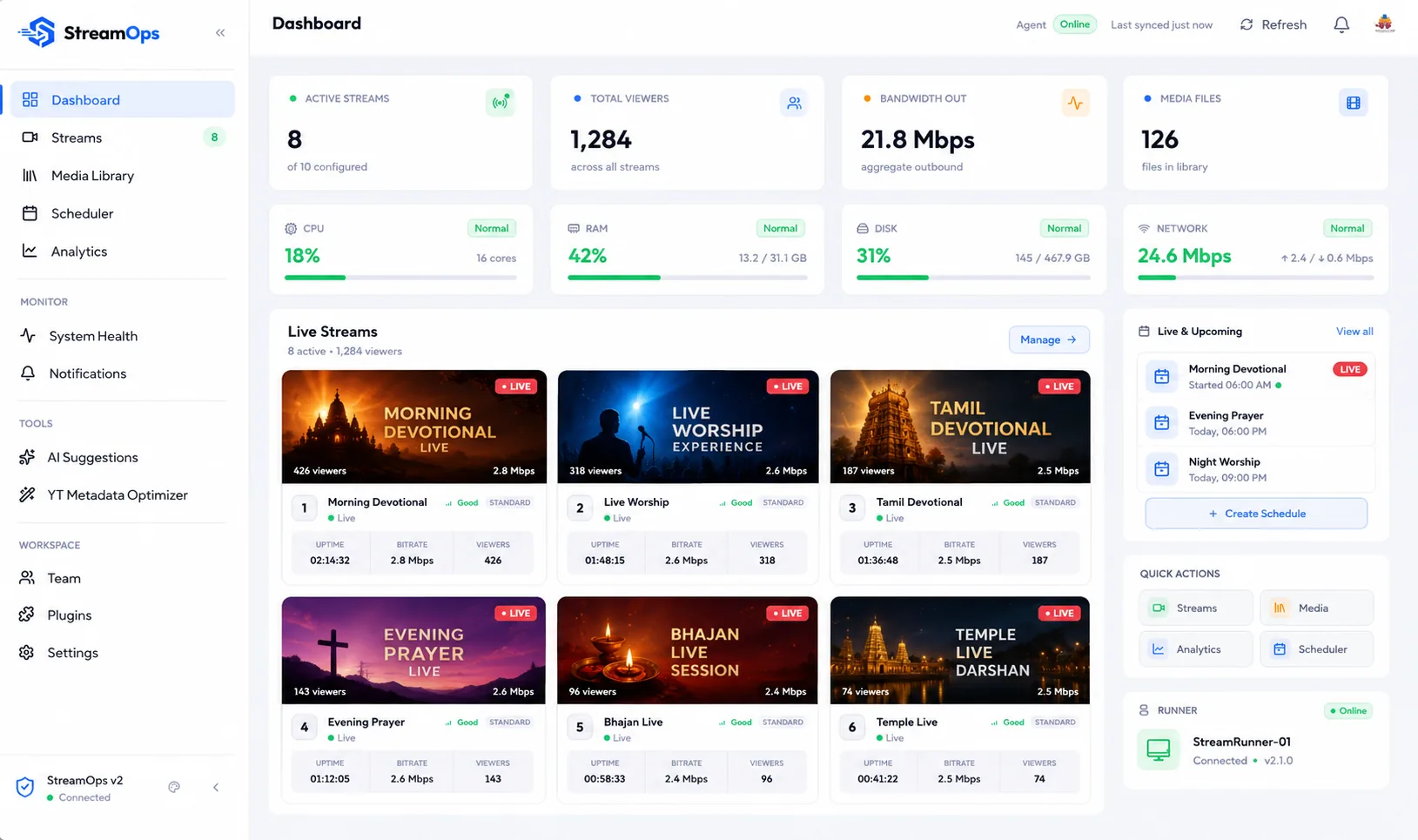
Cloud or PC
Run it on our servers or your own
1–20
Streams per Cloud plan
24×7
Automation, not a schedule you babysit
Windows & Linux
For running it on your own machine
YouTubeWindowsLinuxffFFmpeg
Product Video
Meet StreamOps.
Two Ways to Run It
Same StreamOps. You choose where it runs.
Both run the same streaming engine and the same dashboard. The difference is whose machine does the work.
StreamOps Cloud
We run it for you
- Nothing to install, no PC to keep switched on
- Upload in the browser, or import from Google Drive or Dropbox
- Every Pro feature included
- 1 to 20 streams, with 25 GB of video storage per stream
Try it free for 12 hours, no card needed.
On your own PC
Run it on your machine
- Install on Windows 10/11 or a Linux server
- Videos stay on your disk — no upload step
- Free plan forever, plus a 7-day Pro trial
- Screen sharing with camera and microphone
You provide the hardware, the network and the uptime.
How It Works
Three steps, then it runs itself.
01
Bring your videos
On StreamOps Cloud, upload them in the browser or import them from Google Drive or Dropbox. On your own PC, point StreamOps at a folder and it picks up new files automatically. Either way they queue into playlists and loop continuously — mismatched codecs and resolutions get normalized on the way in, so the loop never stalls.
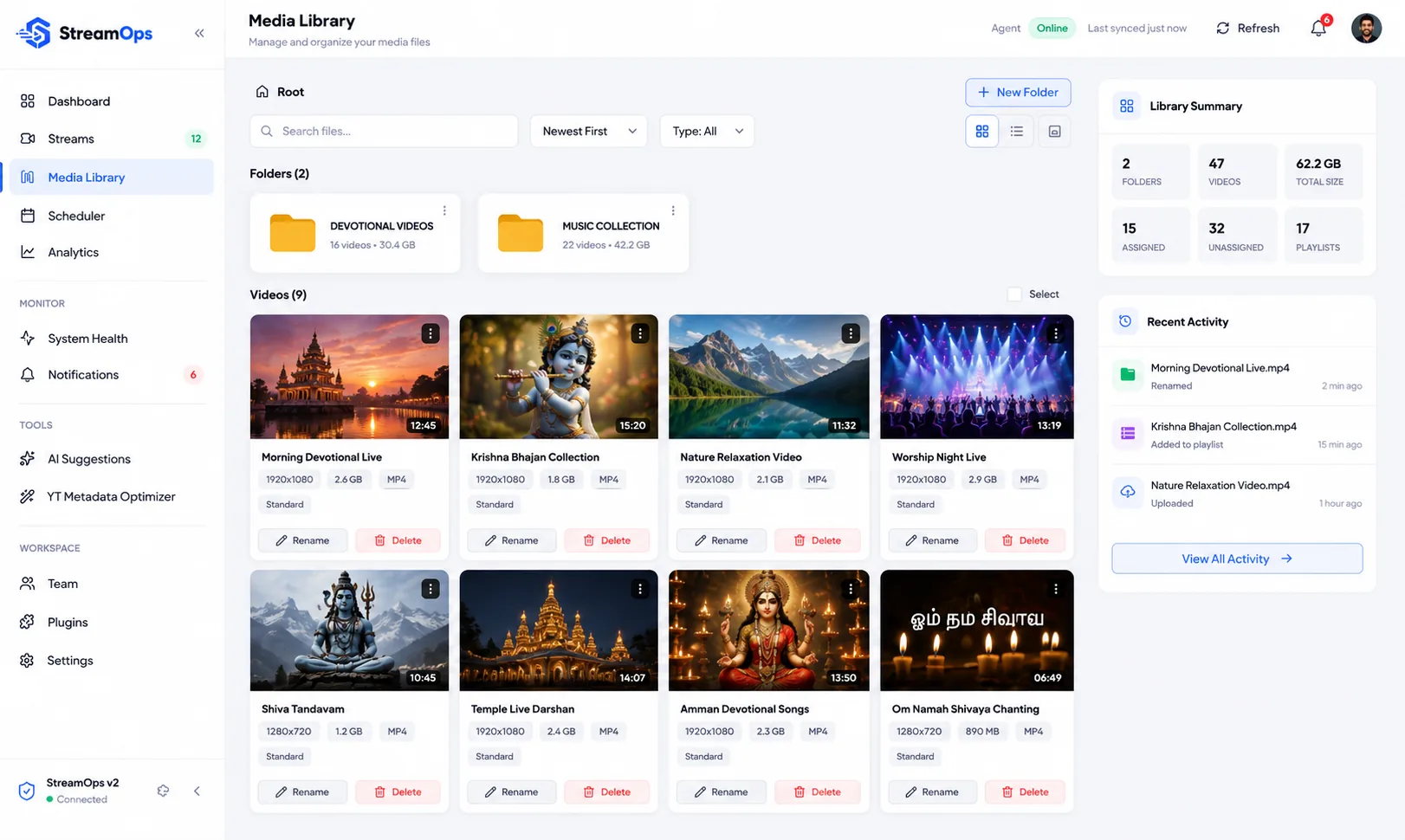
02
Set it, and it runs without you
Point a stream at a playlist, set a start time, and StreamOps handles the rest — YouTube broadcast creation, Twitch or custom RTMP, and every restart. It keeps running while you're asleep, at work, or off the grid entirely.
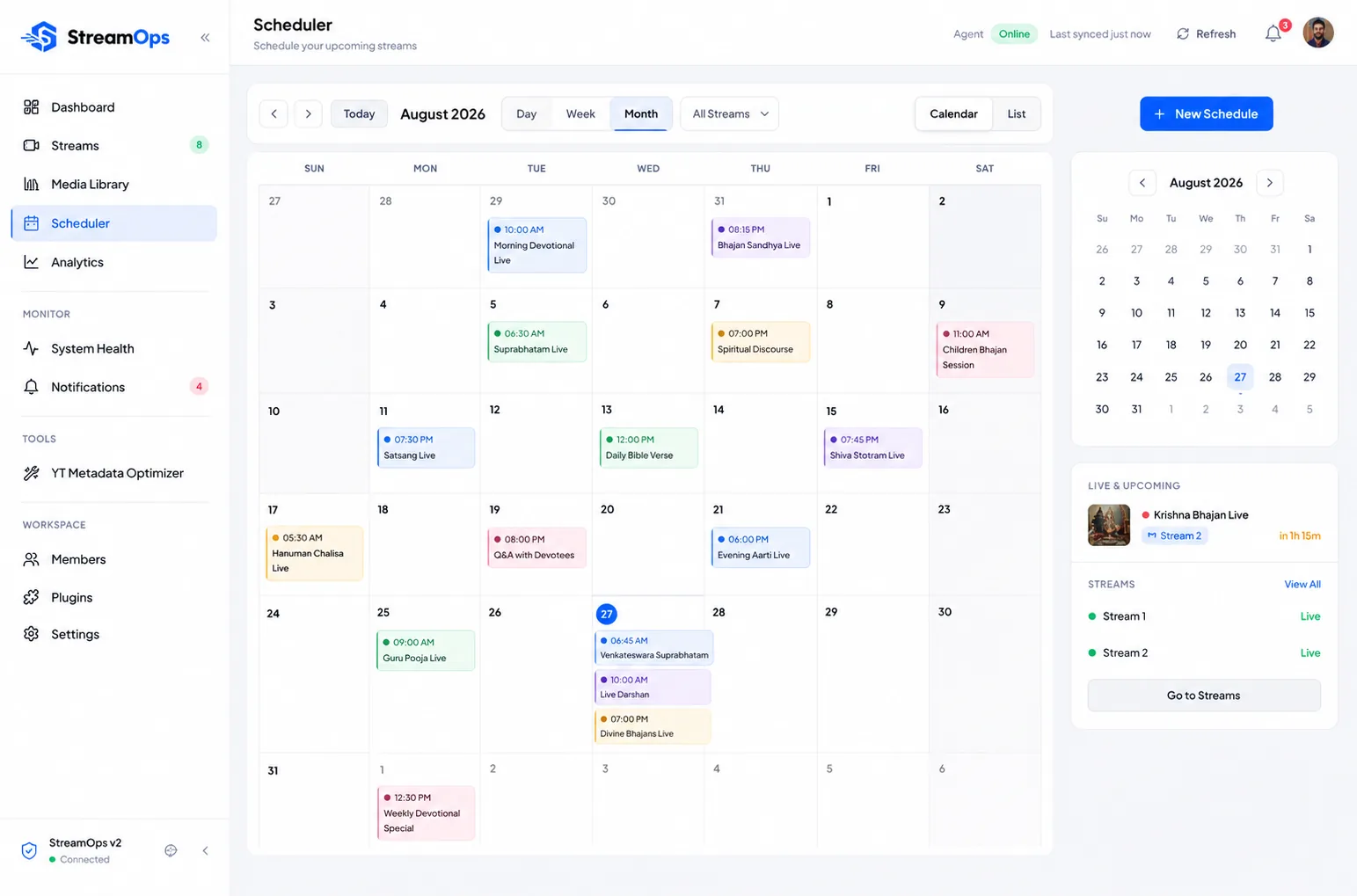
03
The copilot reviews it with you
A daily briefing summarizes what happened across your channels, flags anything that needs attention, and suggests fixes you approve or reject — nothing changes on your streams without your say-so.
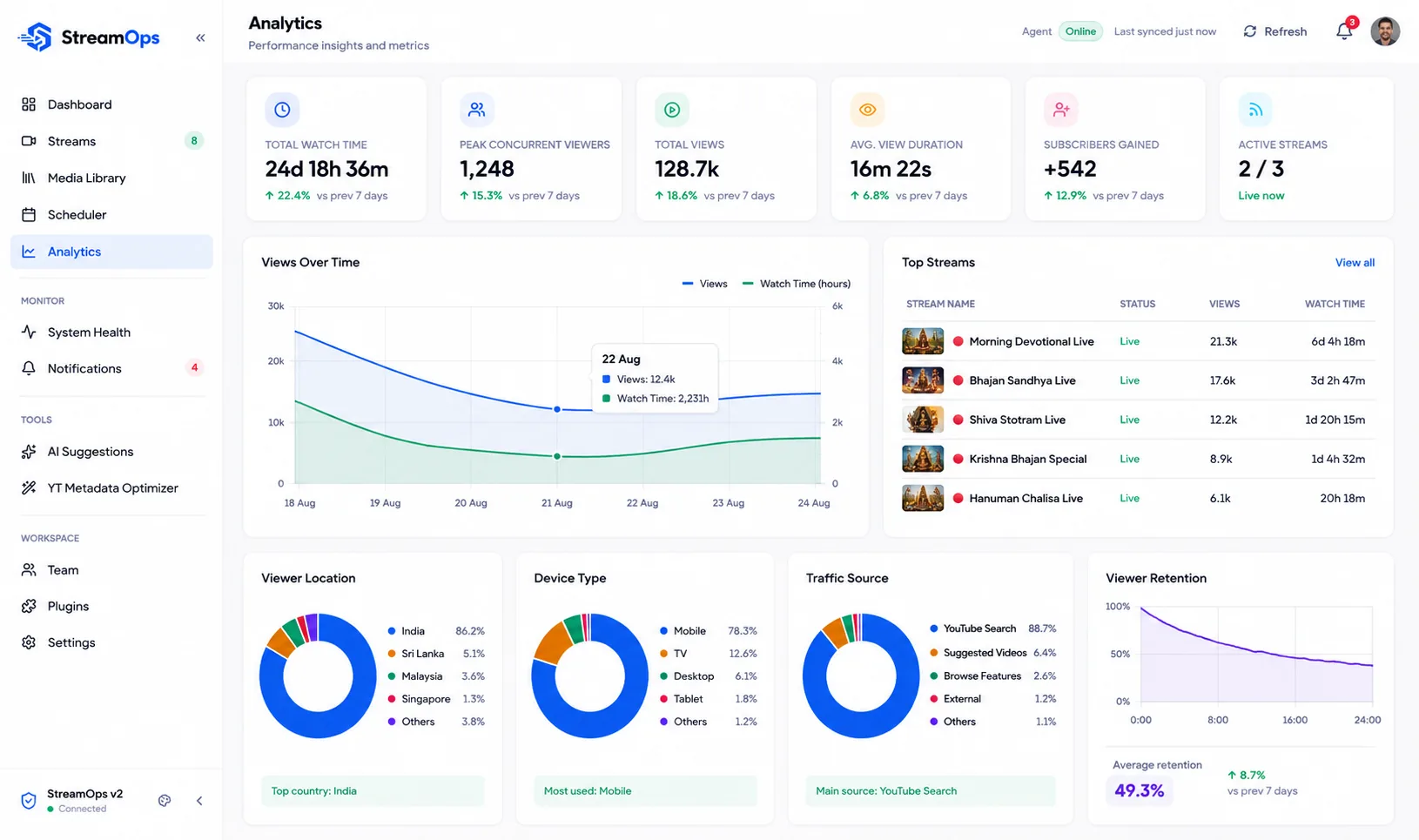
AI Copilot
A second set of eyes on every channel.
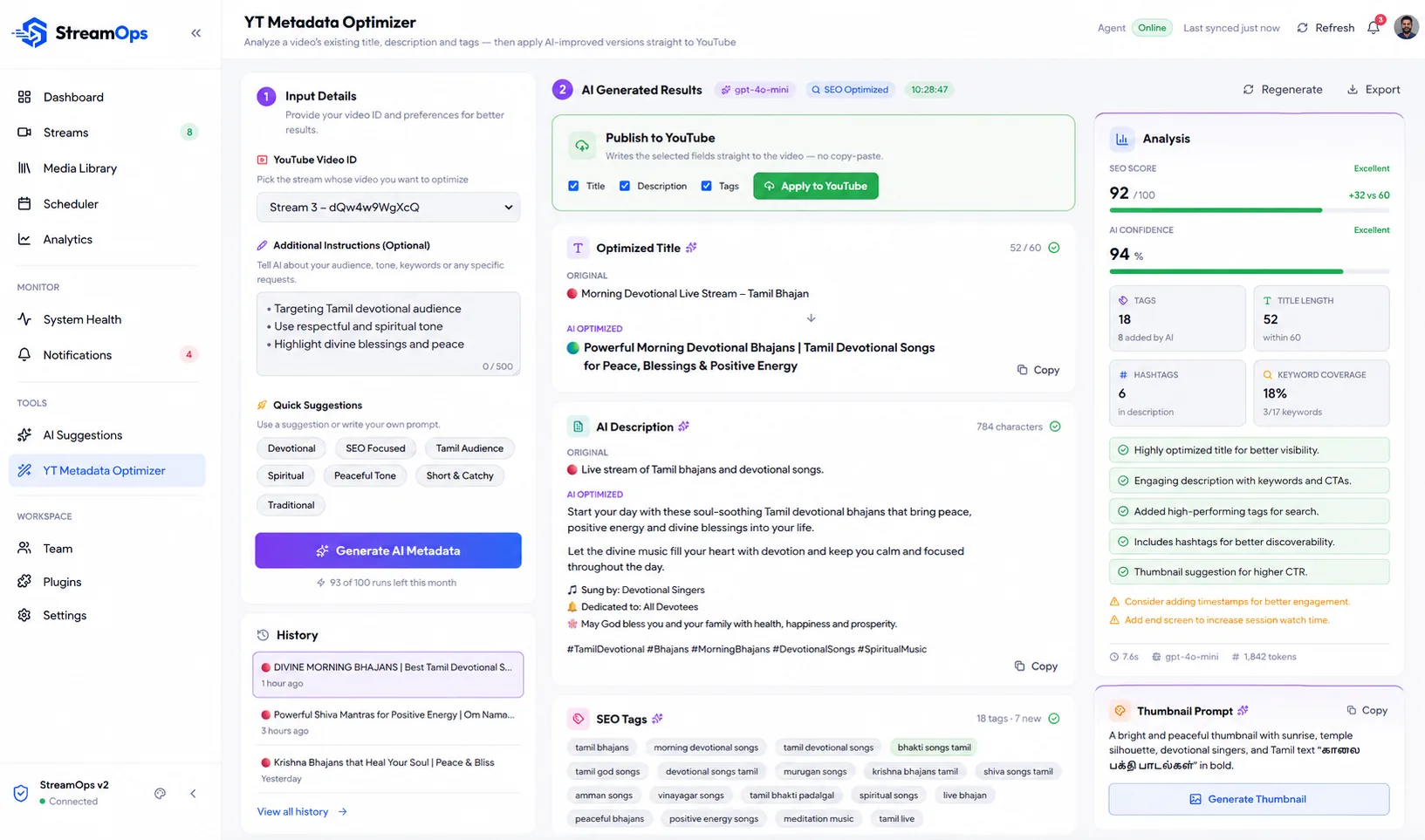
The copilot reads your stream health, schedule, and video library the way you would — then writes a daily briefing instead of making you go find the problem yourself. It suggests better titles and descriptions, flags a schedule gap before it goes live empty, and calls out a stream that's been quietly failing to restart. You approve or reject every suggestion; nothing changes on its own.
Included on Pro and on every StreamOps Cloud plan.
Why People Trust It
Where it runs is your call. Here's what's true either way.
No uptime figures we can't measure — just how StreamOps treats your account, your videos and your keys, on your machine or on ours.
- Secure Google OAuth
- We request only the minimum YouTube scopes needed to manage your broadcasts — revoke access anytime from Settings or your Google Account.
- Runs where you choose
- On StreamOps Cloud, your streams run on servers we manage. On your own PC or server, you control the hardware, the network, and the uptime.
- Your videos, handled plainly
- On your own machine, videos are read from your disk and never copied anywhere. On Cloud we keep one processed copy for streaming and delete the original — nothing is watched, analysed or used for AI training, and it is deleted 7 days after your plan ends.
- Stream keys encrypted
- Stream keys are encrypted at rest — on your own machine, or on the cloud server we run for you.
- License protected
- Every account runs on its own license, and a desktop install is bound to its device — no shared or leaked access.
How It Compares
Where StreamOps fits next to what you already know.
| Feature | StreamOps | OBS Studio | Restream.io | YouTube Studio |
|---|---|---|---|---|
| 24/7 automated streaming — no operator required | ||||
| Stream pre-recorded videos live, looped continuously | ||||
| Multi-channel streaming from one dashboard | ||||
| One encode fanned out to multiple destinations | ||||
| Automatic normalization of mismatched source video | ||||
| Built-in live stream scheduler | ||||
| Automatic crash recovery & stream restart | ||||
| Remote stream monitoring (CPU, RAM, uptime) | ||||
| Run it on your own PC or fully hosted — your choice |
From the Blog
Notes on running unattended streams
What is StreamOps?
A platform that streams pre-recorded video as 24/7 live broadcasts to YouTube, Twitch, or any RTMP platform, with an AI copilot that reviews your streams and schedule. Run it on your own PC, or let us run it for you on StreamOps Cloud.
Do I need to leave my computer on?
Not with StreamOps Cloud — your streams run on our servers. On your own PC or server, StreamOps runs unattended in the background and restarts streams automatically if they drop.
Is there a free trial?
Yes — every new account starts with a Pro trial for 7 days, no credit card required. When it ends you drop to the Free plan rather than losing access. That trial is for running StreamOps on your own PC. StreamOps Cloud has its own free trial: 12 hours on one stream, no card needed.
Can I run multiple channels at once?
Yes — manage multiple concurrent streams from a single dashboard, up to your plan's limit.
Your first channel can be live in the next few minutes.
No credit card. No commitment. Cancel whenever you want.